How it works
Before, after and between every session
Your clients, sessions, notes and payments together. Follow Sophie through a session, from reading the last note to saving the next one, then see how that work fits into the rest of your week.
Free for up to three clients. No card required.
£8/month for unlimited clients.

One session, start to finish
Sophie arrives. You know where to start
Sophie has a session this morning. You read the last note before she arrives, then save a short wrap-up afterwards. That note becomes part of her record and prepares you for her next session.
Before the session
Read what you planned for Sophie
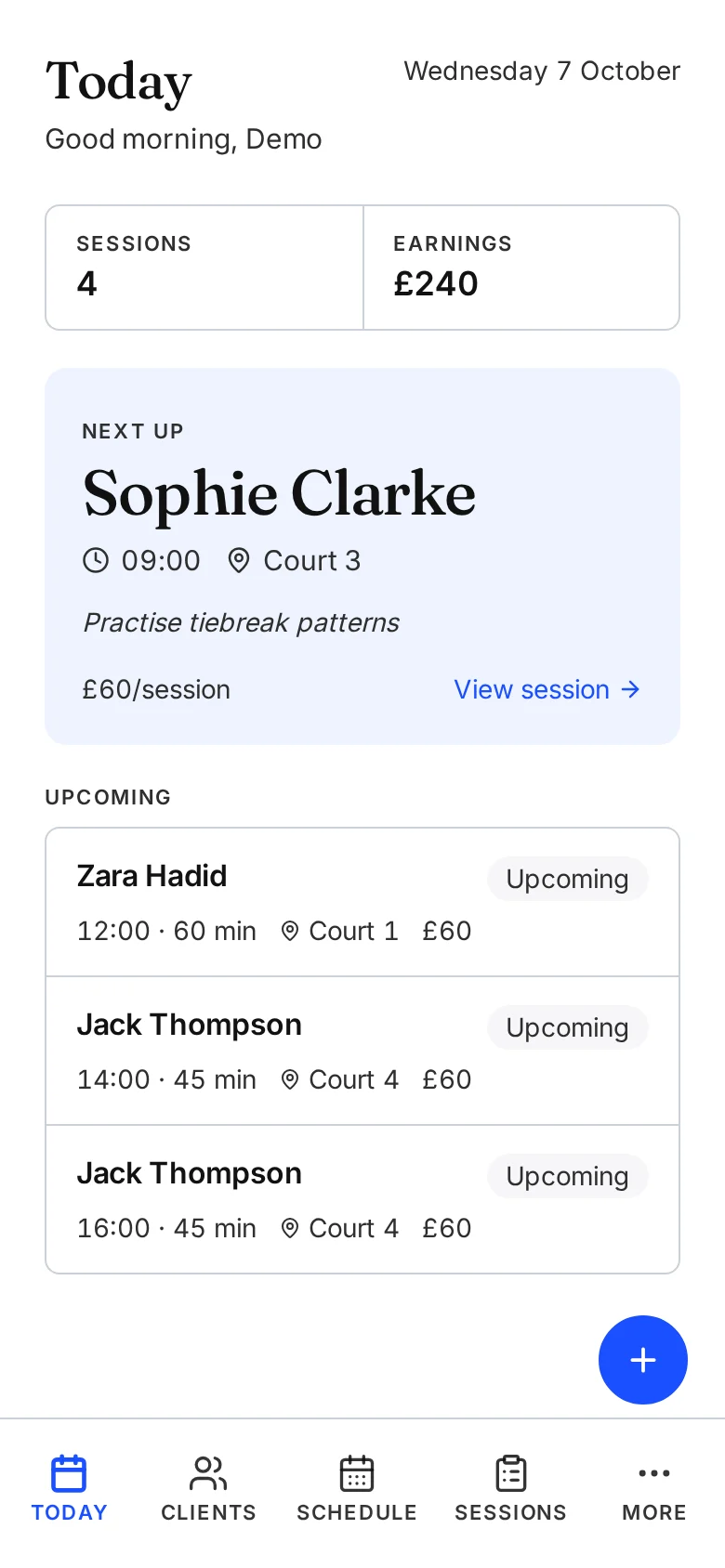
Today shows Sophie at 09:00 on Court 3, with the focus you saved last time: practise tiebreak patterns. Her session opens the earlier note, so you can check what happened before you begin.
After the session
Save what happened and what comes next
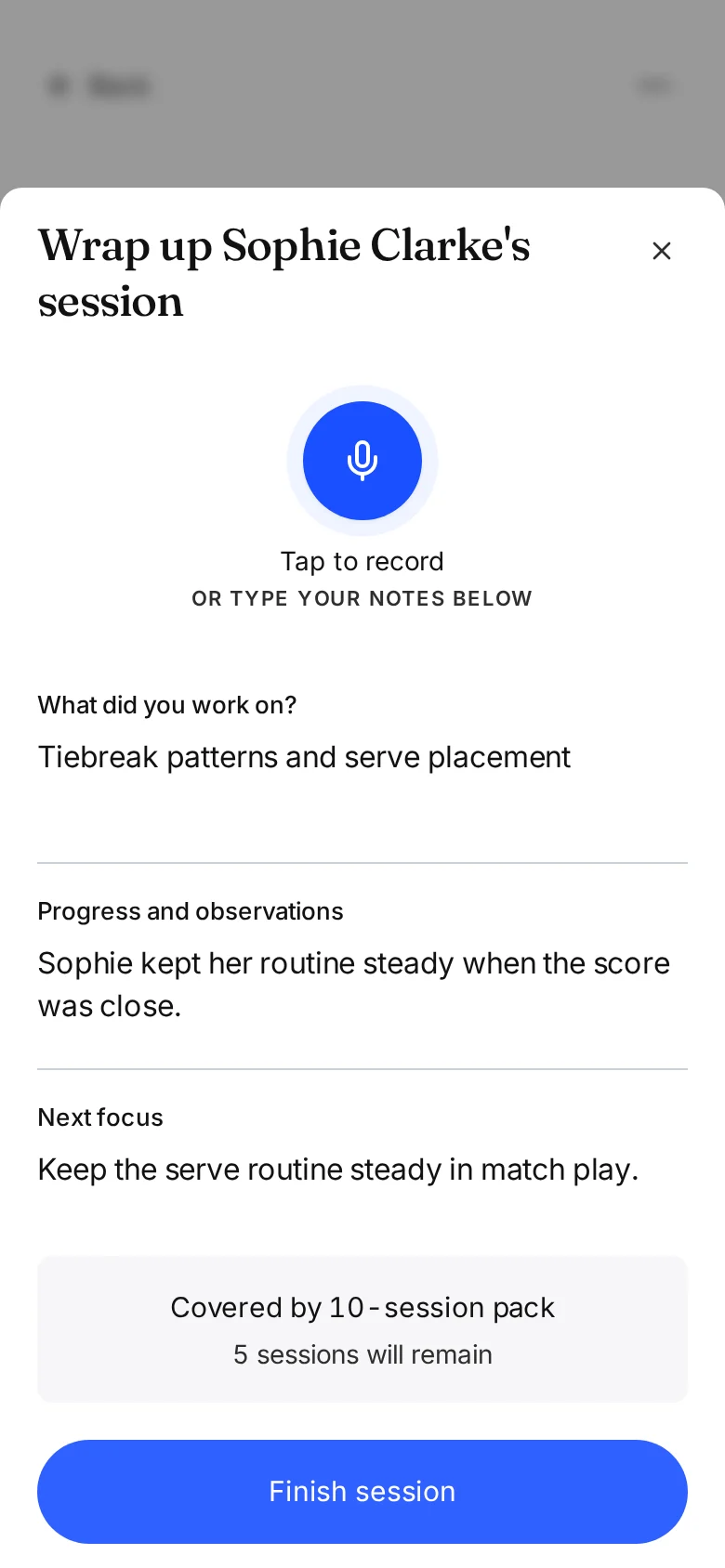
You record the tiebreak work, what you noticed and the focus for next time. Type it or speak it, then review before saving. Sophie uses a package, so the wrap-up shows that this session will leave five of her ten sessions remaining.
Where the note goes
Sophie's note, next session and package together
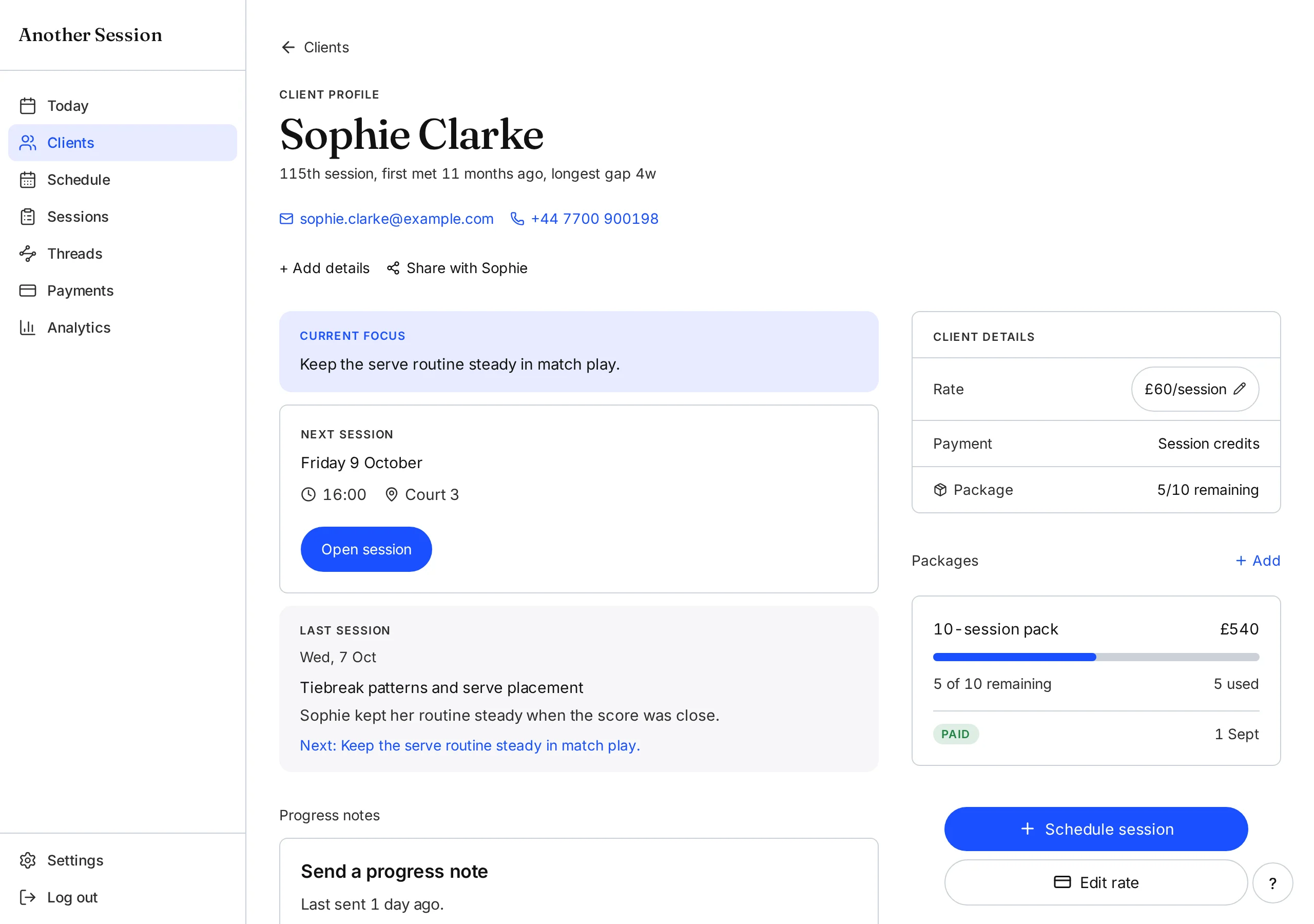
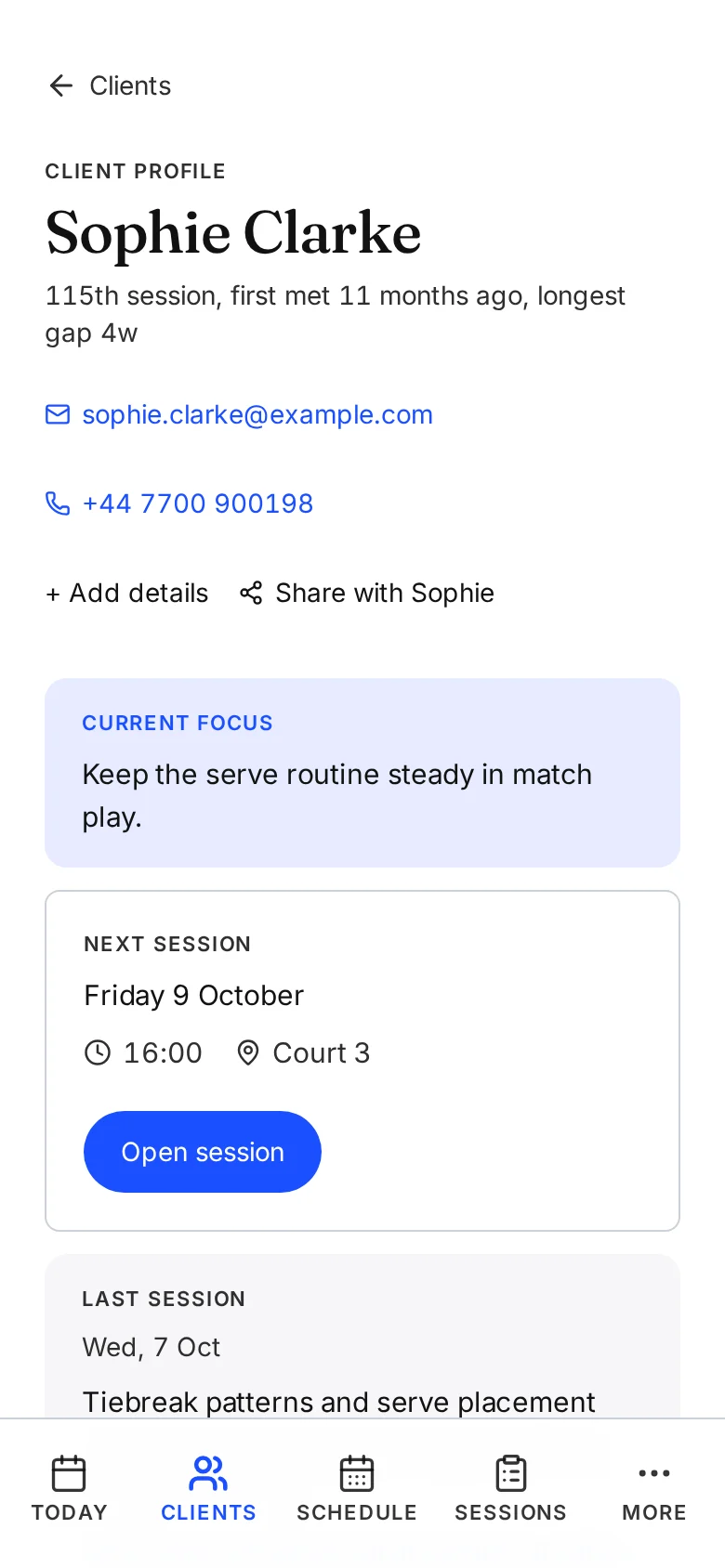
The same words now appear in Sophie's last session and current focus. Her next appointment is Friday, and her package has gone from six sessions remaining to five. You do not enter the note again in a separate client record.
Earlier notes stay in her timeline. When you need to look back, her goals, sessions and payment records are in the same place.
Across the week
Your week and what you are owed, from the same sessions
Sophie's session sits alongside the other clients you see this week. Schedule shows your agreed appointments. Payments shows outstanding sessions and packages, using the payment status you have recorded.
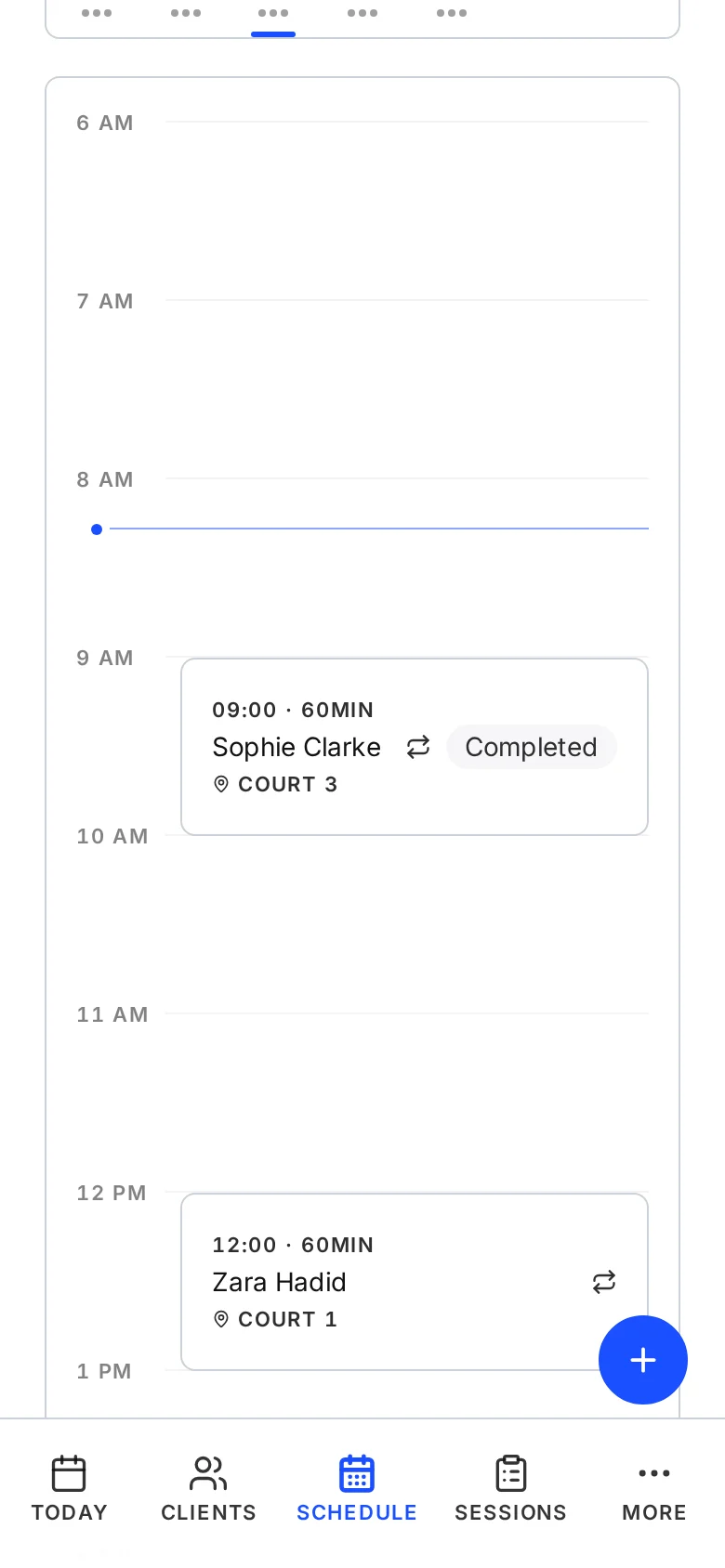
See the week you have agreed
The week holds the sessions you have agreed, including recurring appointments and any changes you make.
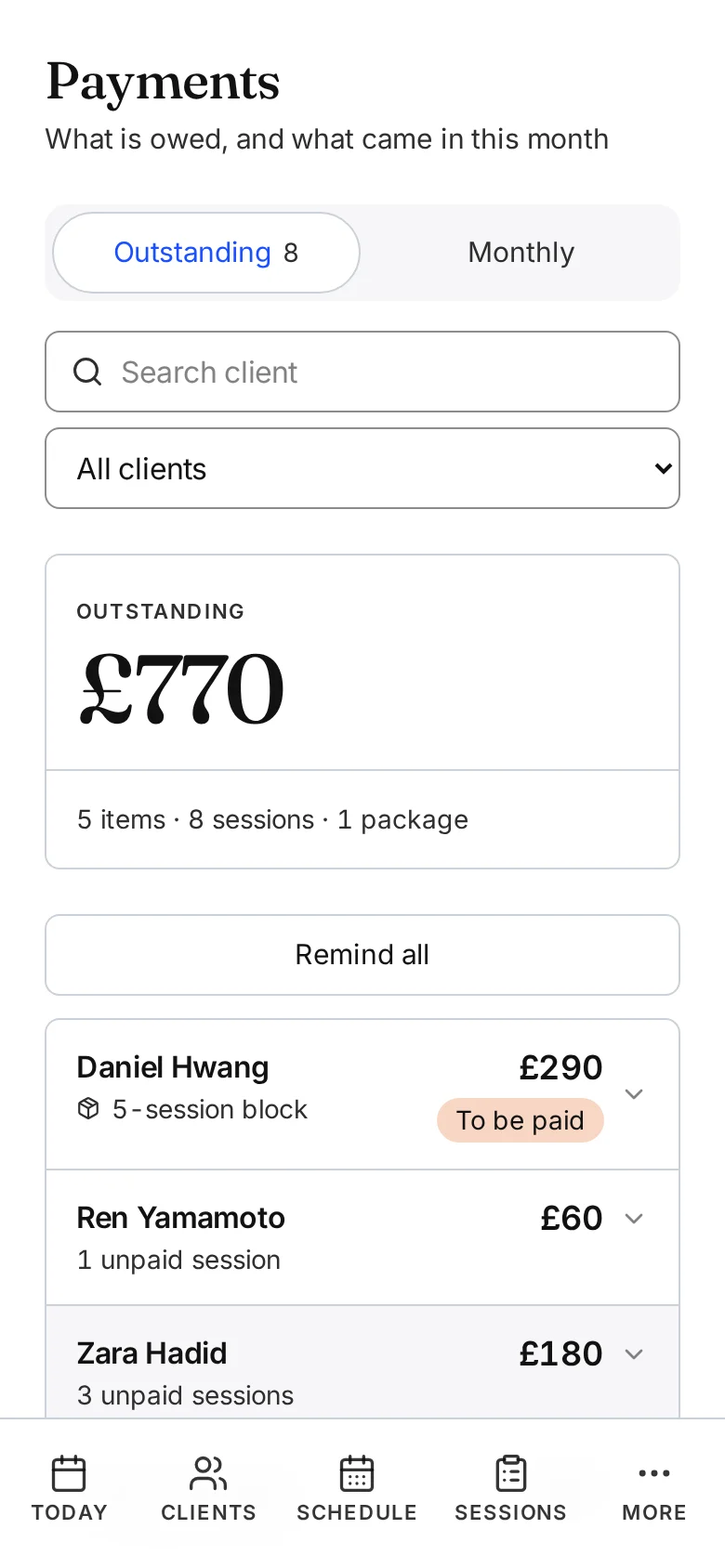
See who still owes you
Money is tracked separately from notes. Record a payment when it arrives, or send a request using your own payment details.
Reminders, ready to send
One tap drafts a note with the time, the place and your name on it. Send it by email, or have it prepared and opened in WhatsApp for you to review and send.
Your own payment link
Add the payment link or bank details you already use. Payment requests include the details you configured. Clients pay through your existing method, and you record the payment here.
Sessions in your own calendar
Subscribe once from Apple, Google or Outlook Calendar through a private one-way feed. Sessions you add here show up alongside the rest of your life.
Between sessions
Know who needs a note or a check-in
You can look across your clients without opening every record. Threads brings up recent patterns and clients you have not seen for a while. When Sophie needs a progress update, her saved notes give you somewhere to start.
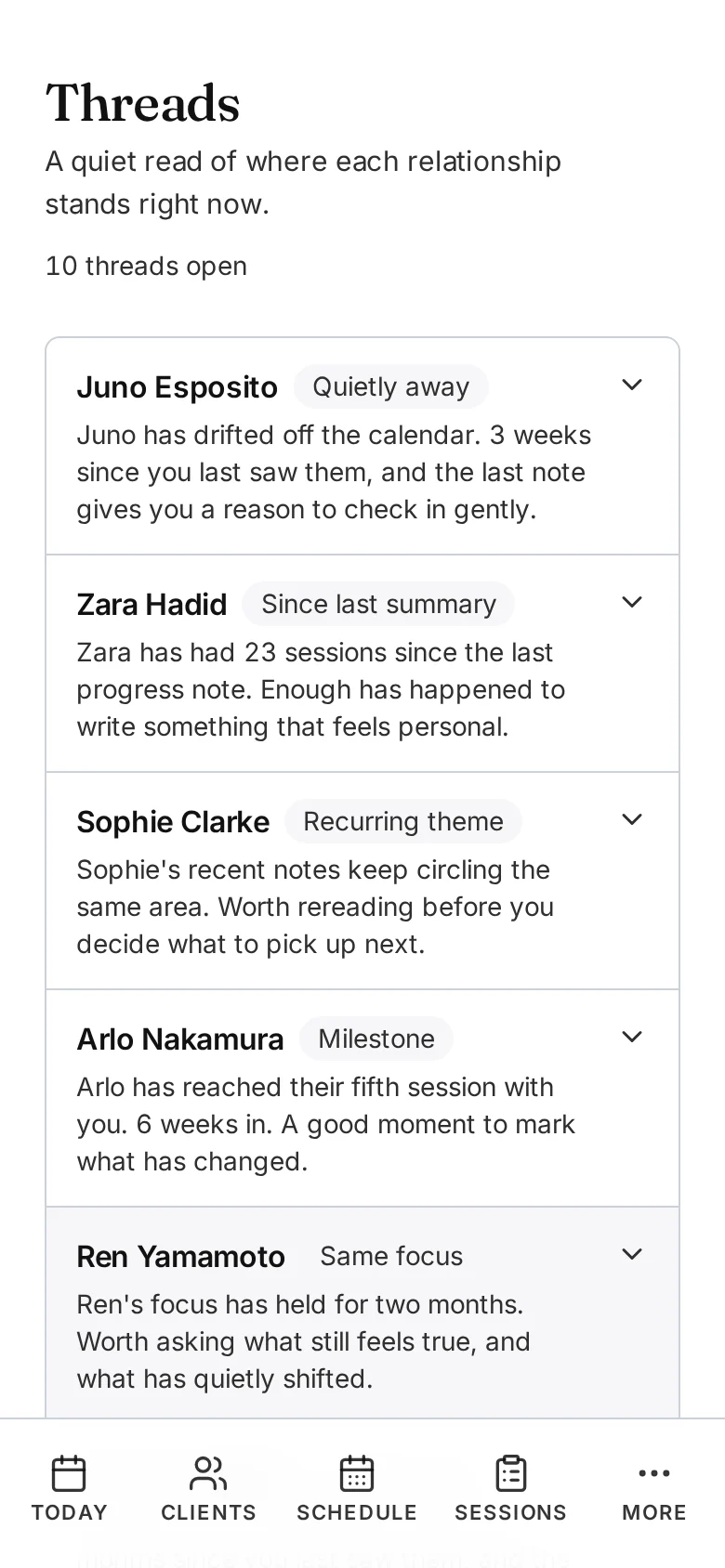
Read across your clients
Sophie's recent notes share a recurring theme. Juno has not had a session for three weeks. Threads surfaces those records so you can decide what, if anything, needs your attention.
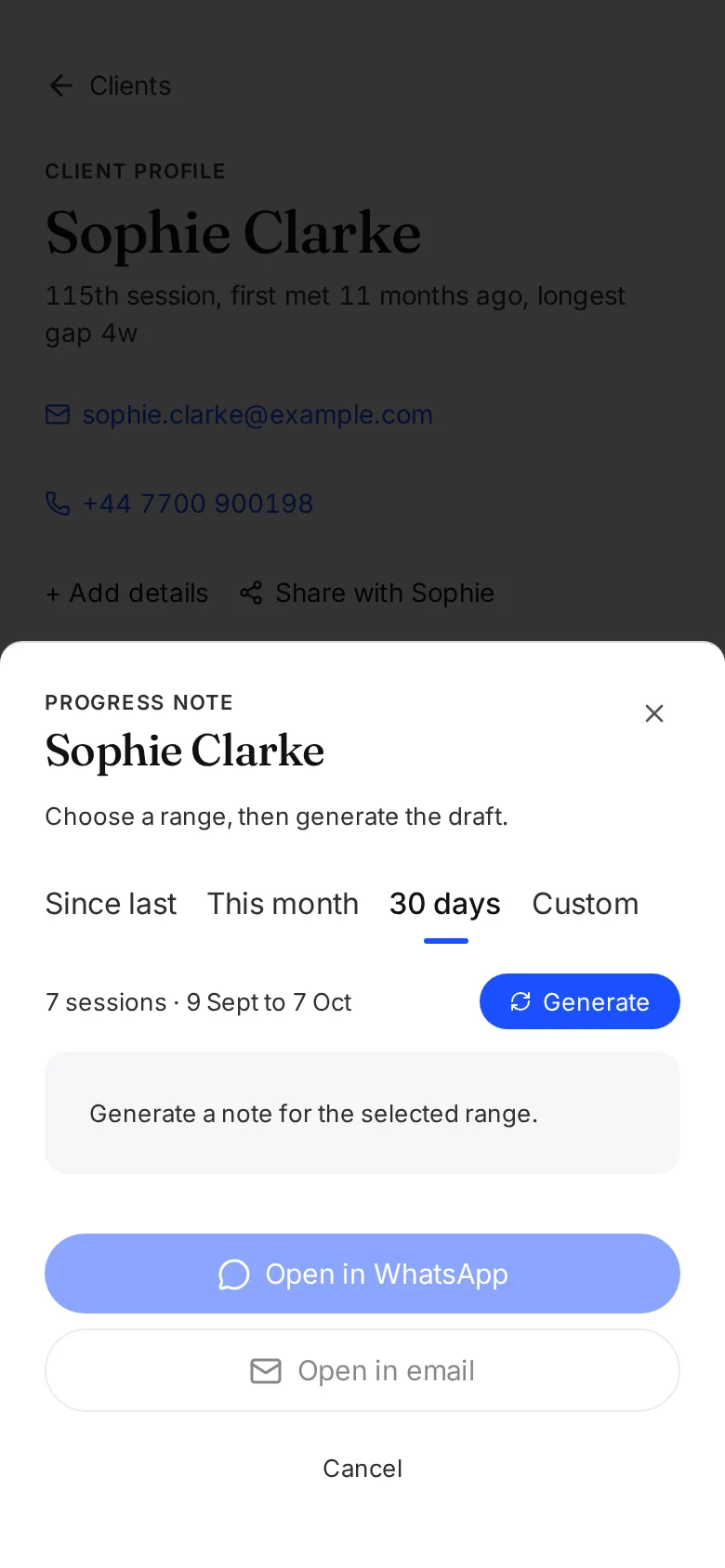
Prepare Sophie's progress update
Choose a date range from Sophie's record. Generate a draft from the notes in those sessions, review and edit it, then open it in email or WhatsApp when you are ready to send.
Analytics uses the same sessions and payments to show your earnings, hours coached and how regularly clients return.
Where it fits
Keep the tools your clients already use
Another Session sits around the session itself. Keep your existing booking system, calendar and payment method. Use Another Session for the client record, notes, follow-through and money tracking.
Sessions you add here publish to Apple, Google or Outlook Calendar through a private one-way feed. Email reminders can go out automatically, while WhatsApp reminders are prepared for you to read and send yourself.
Continuity
Ready for Sophie's next session
When Sophie comes back, her next session card brings up the next focus you saved today. Her client record holds the earlier sessions, her goal and the package balance. You can pick up where you left off without searching through separate notes and payment records.
The next session starts with what you wanted to work on next.
Try it with your next client
Every feature is free for up to three clients. No card required. Then £8/month for unlimited clients and sessions.
Free for up to three clients. No card required.
Related guides
7 min read
How to Write Coaching Session Notes
A plain guide to logging sessions in under a minute, with a simple template, real examples, and a way to turn notes into a monthly summary without rewriting them.
Read guide→6 min read
How to Track Session Packages as a Coach
Ten session blocks, monthly retainers, prepaid lesson cards. The simple system for knowing exactly how many sessions a client has left, without the spreadsheet that breaks every quarter.
Read guide→7 min read
How to Get Paid On Time as a Coach
A plain guide to coaching payments. How to bill, when to bill, how to set up packages, and how to stop chasing money without changing your personality.
Read guide→